


Unlock more with the Adobe Firefly Pro plan with access to Adobe Podcast Premium 
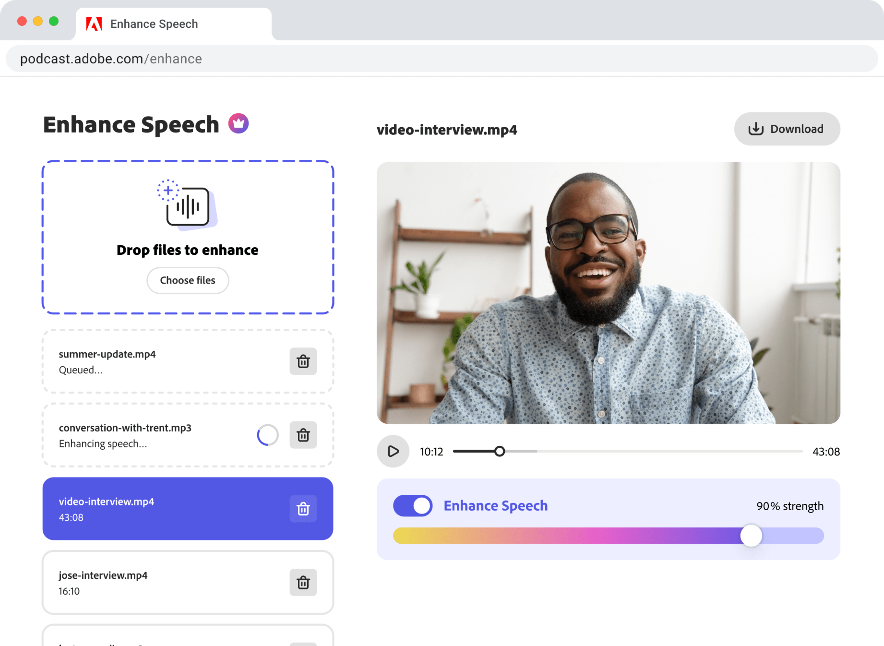
- Enhance Speech fixes audio problems after the fact, no perfect mic needed
- Video support for MP4, MOV, and more
- Bulk upload files for enhancement
- Adjust speech, music, and ambience for a more natural sound
- Enhance up to 4 hours a day, files up to 1 GB
- No download limits on Studio projects
- Download original recordings, speaker-separated
- Customize audiograms and captions with themes
- Upload custom backgrounds for audiograms
- 4,000 generative credits/month and unlimited generation on select image models
Enhance Speech


Studio


Create with Firefly Pro

Start free trial
 Start free trial
Try these features
Remove music from audio or video
Remove background music from any audio file or video file in just a few clicks. Adobe AI-powered music remover uses advanced algorithms to separate speech and background music while preserving sound quality.

How to get started

Upload
Upload audio or video that contains music

Edit
Remove the music or lower its volume

Download
Download your final file or each track

Remove background music from audio & video
Go beyond speech enhancement. This high-quality AI music remover lets you remove background music from a single mixed file.
 Download separate tracks for speech, music, and ambience
 Fine‑tune intros, outros, and dialogue leveling for any audio format
 Export clean tracks for any NLE or DAW
Clean up noisy audio
Whether you’re recording courtside, in a café, or at a live event, you can now mute or remove unwanted music and noise.
 Mute or reduce background music without affecting dialogue
 Preserve voice clarity and natural ambience
 Avoid copyright flags and licensing issues tied to unwanted music
Fix the music without re-editing
Remove background music from fully mixed, or single-file audio or video. Even if music and dialogue are baked together, you can cleanly remove the music track without re-editing.
 Remove layered music from edited audio or video files
 Separate dialogue from baked-in music
 No original project files required