


Unlock more with the Adobe Firefly Pro plan with access to Adobe Podcast Premium 
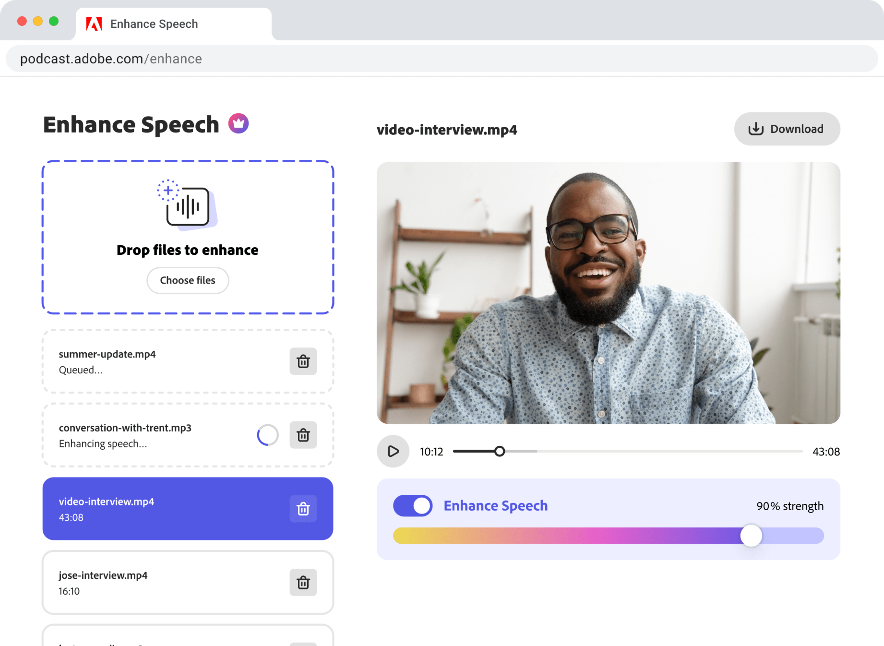
- Enhance Speech fixes audio problems after the fact, no perfect mic needed
- Video support for MP4, MOV, and more
- Bulk upload files for enhancement
- Adjust speech, music, and ambience for a more natural sound
- Enhance up to 4 hours a day, files up to 1 GB
- No download limits on Studio projects
- Download original recordings, speaker-separated
- Customize audiograms and captions with themes
- Upload custom backgrounds for audiograms
- 4,000 generative credits/month and unlimited generation on select image models
Enhance Speech


Studio


Create with Firefly Pro

 Start free trial
What's new in Adobe Podcast?
Updates and enhancements – August 2025
Last updated: August 20, 2025
Author: Harmony Jiroudek, Product education & community manager
Since adding video support, we’ve been focused on two key updates to help you stay in flow and get your content out faster:
- We’ve expanded video capabilities with styled captions, subtitle exports (SRT), and new export controls to show or hide project and speaker names—giving you more flexibility when sharing across platforms.
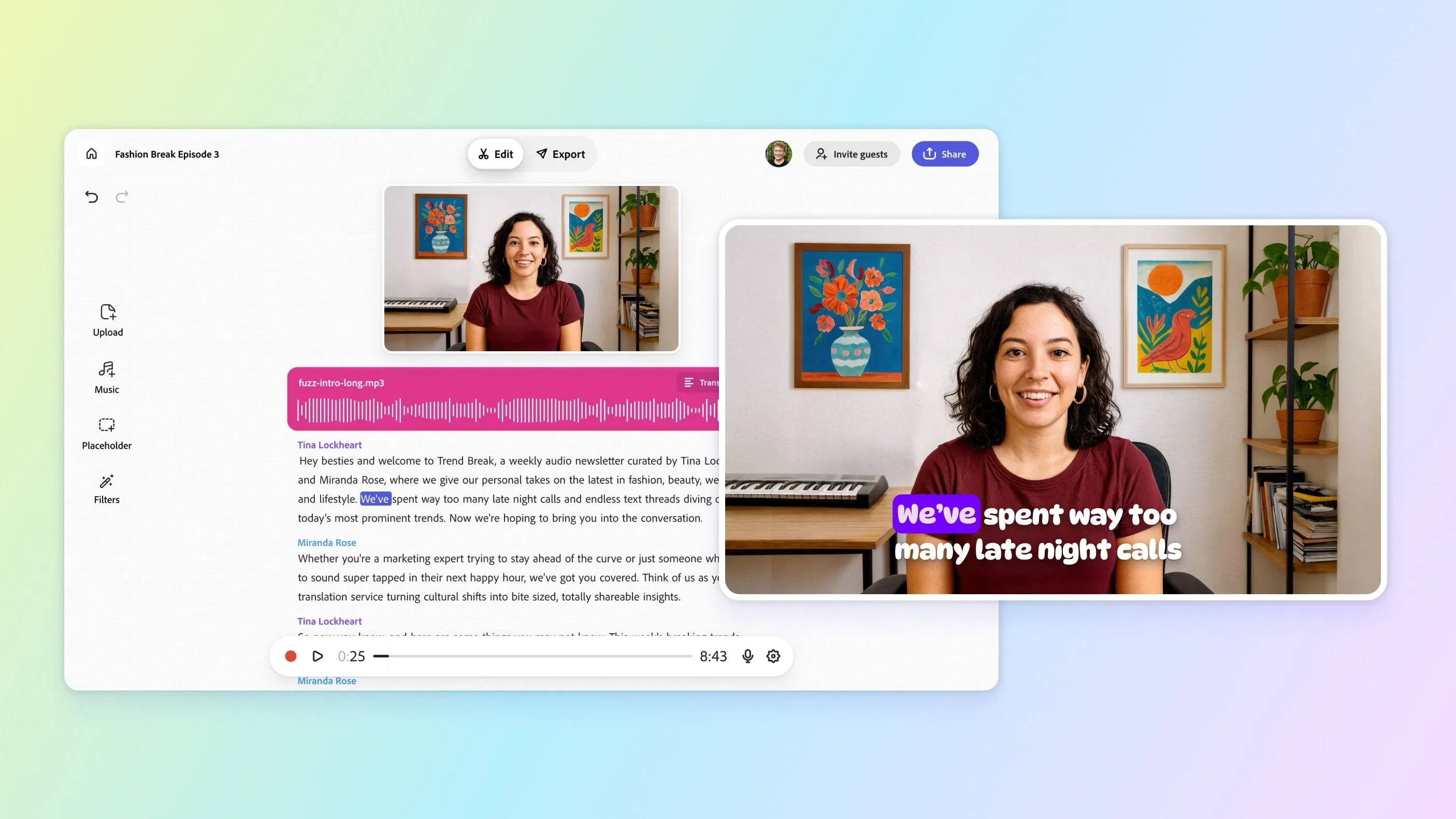
- We’ve made Studio even easier to use for audio editing and transcription. With a refreshed interface and expanded language support (now including Hindi), your transcript is front and center—so you can focus on what matters most.
Your feedback continues to shape Studio, helping us boost productivity and make your transcript the heart of your creative process.
New features & updates
- Add captions to video
- Style captions with themes
- Export clips now supports video + captions
- Export controls (style your project)
- Export SRT (subtitles) for video
- Support for Hindi transcription
- Studio UI refresh
- Updated Music collection
Add captions to your video
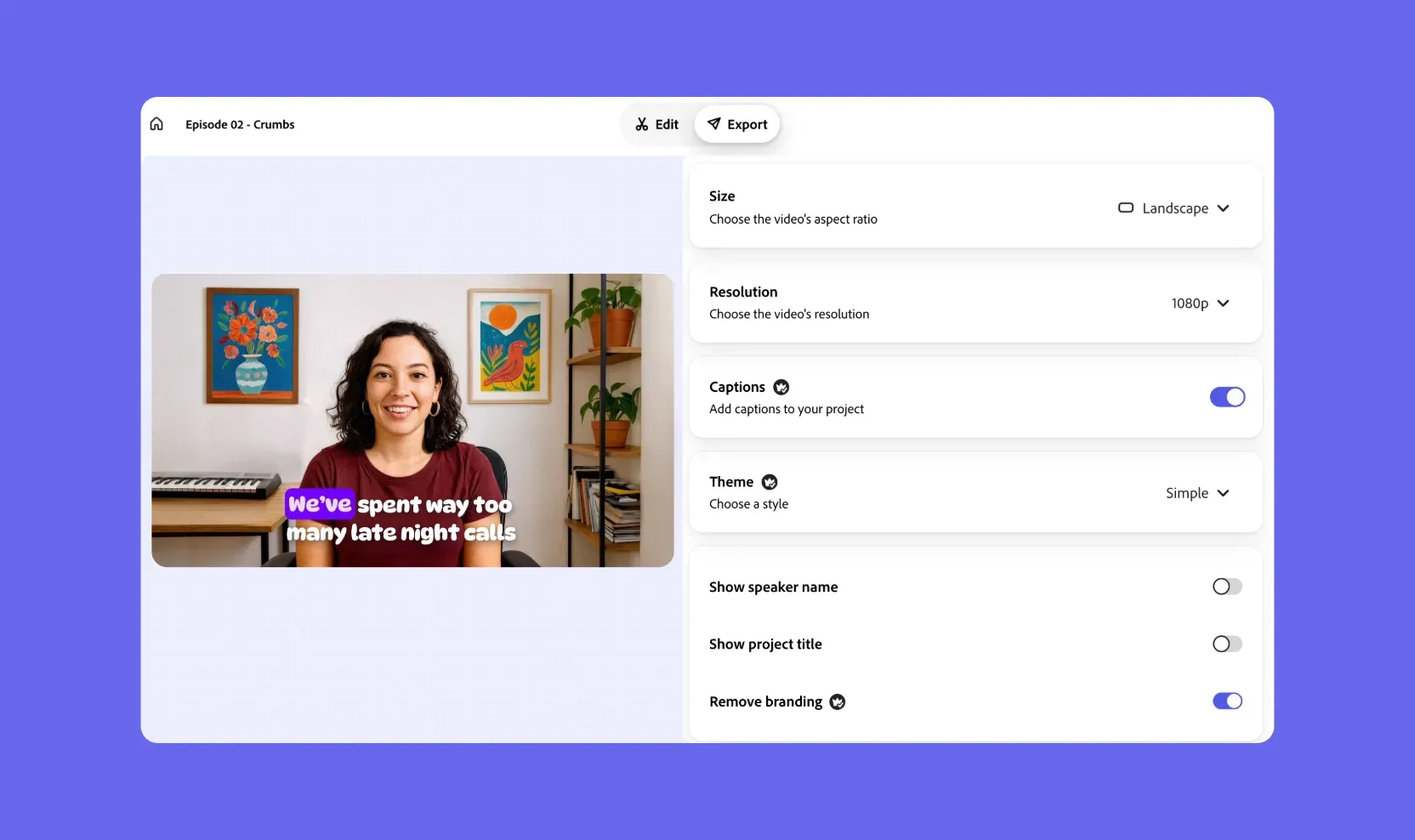
Transform how people experience your content with automatically generated video captions. Now, when you upload any video, captions are created alongside your transcript—making your content more accessible, searchable, and engaging.
Style video captions with themes
Give your captions personality. Apply customizable themes—from clean and minimal to bold and expressive—to match your video’s tone and brand. These designs automatically sync with your captions, letting you find the perfect visual voice with just a click.
Export clips now supports video + captions
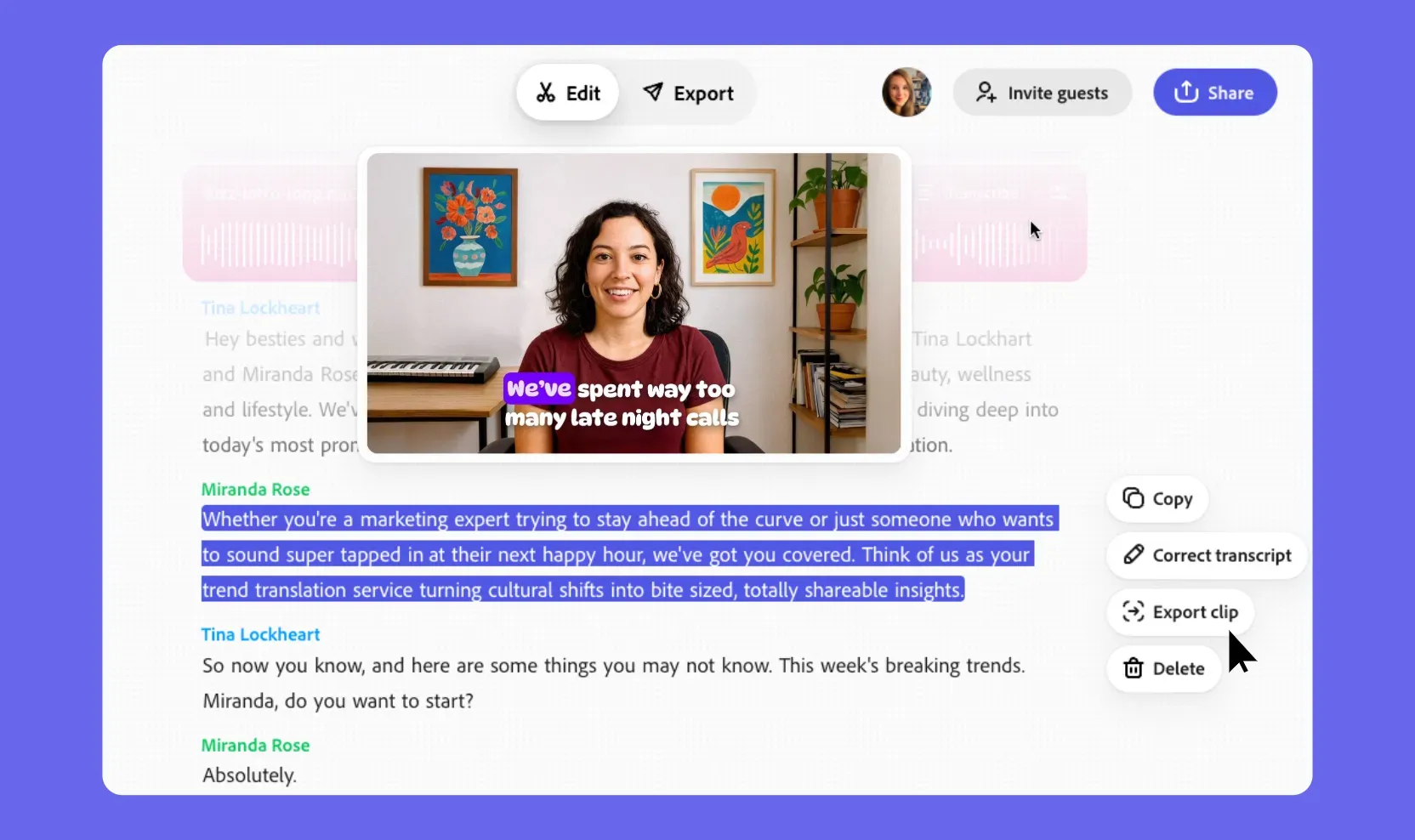
Clipping just got an upgrade. When you export a segment, you can now include not only audio and audiograms but video with embedded captions. Highlight key moments with all the context they deserve, ready for social, mobile, or web sharing.
Export controls
When exporting, you can now choose to hide project titles or speaker names—so your files look polished and only show what you want your audience to see.
Export SRT (subtitles) for video
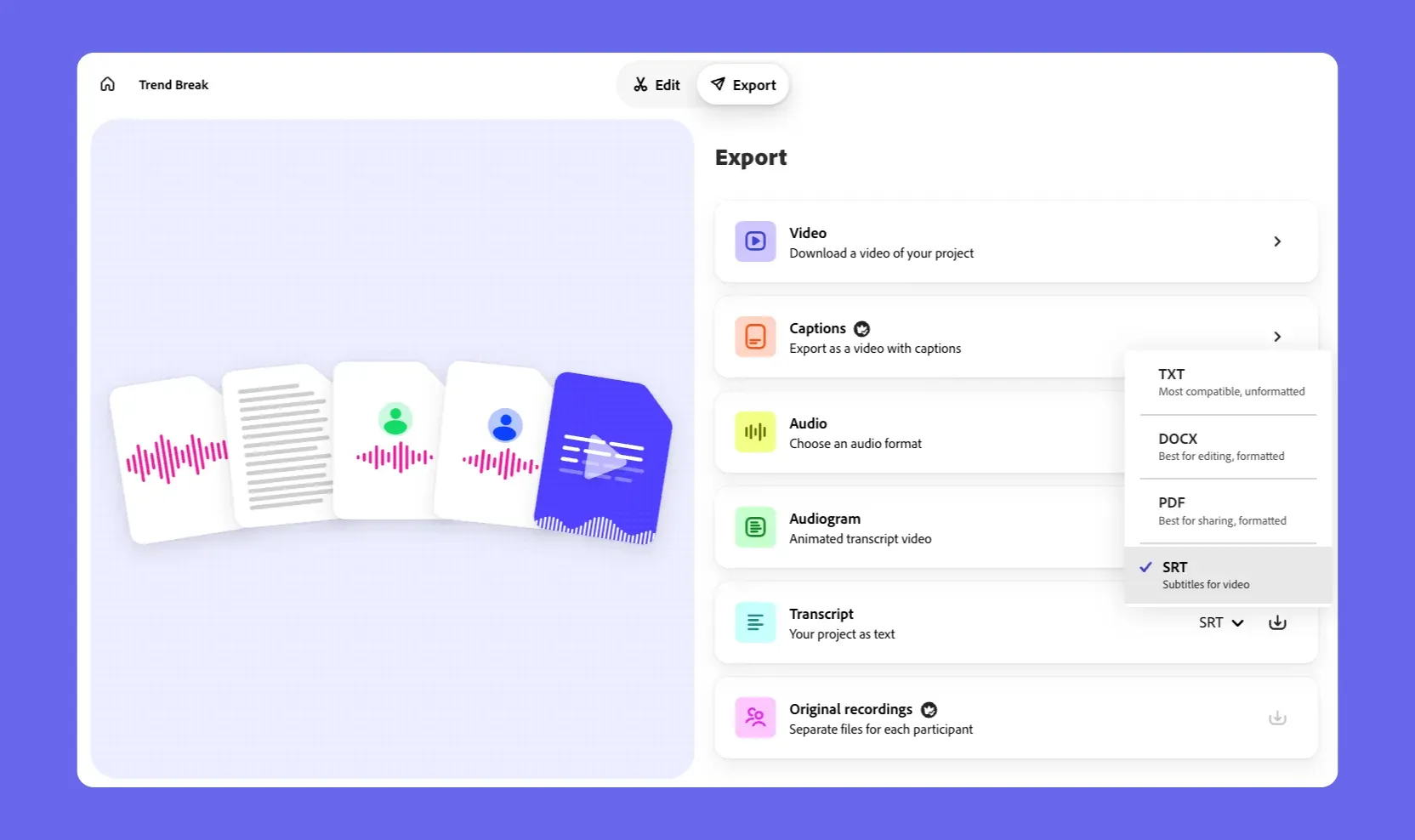
Export your subtitles easily with our new SRT export option. Whether you're preparing for translation, accessibility compliance, or broadcast, your captions are now portable and versatile.
Support for Hindi transcription

In broadening language support, you can now record, upload, and transcribe in Hindi. Seamlessly convert Hindi dialogue into text, then fine-tune as needed.
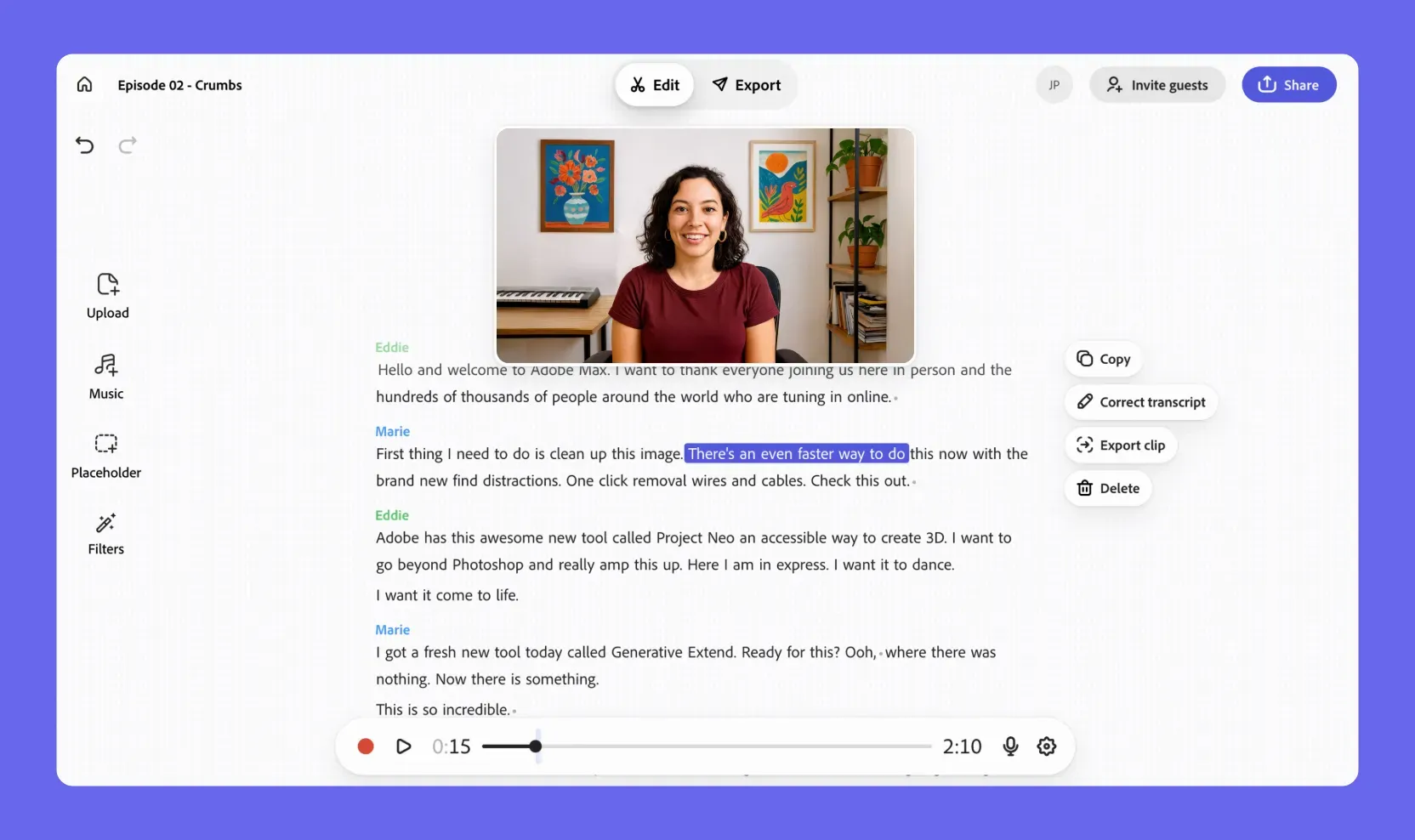
Studio UI refresh
We've updated the Studio interface to help you stay focused while reviewing and editing transcripts.
Updated Music collection
We've addressed issues related to volume inconsistencies with music collection tracks.